

Your personal career intelligence report.
Built from your real work history and a short behavioral assessment — your strengths, what fits you, and what to develop.
Professional workspace access.
Behavioral Assessment
Professional Intelligence Workspace
Supporting Intelligence Dossier
A first look at what you’ll receive.
Your workspace gives you a structured view of how you operate, where you fit, and what direction makes the most sense next.
These are examples of the report environment participants will receive.
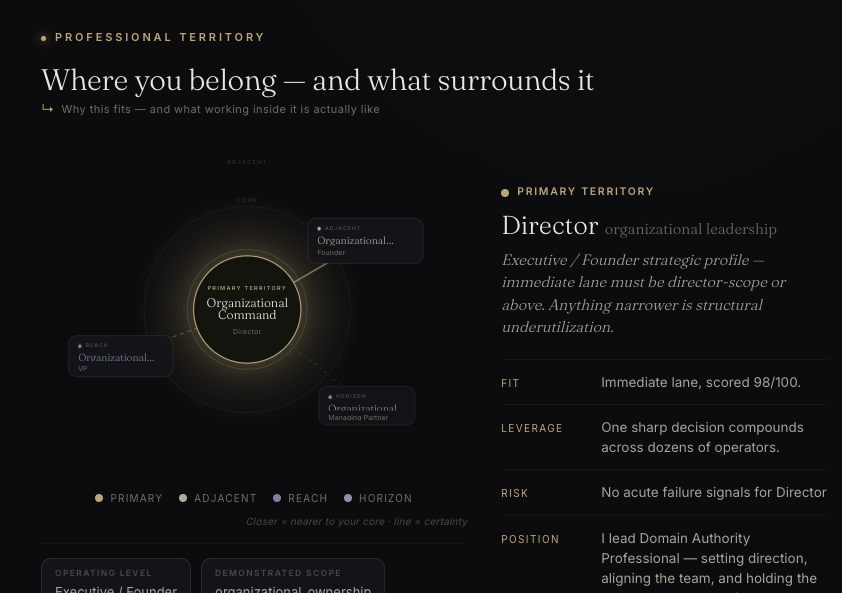
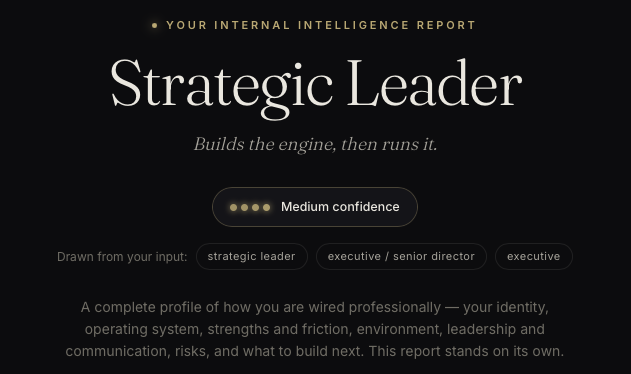
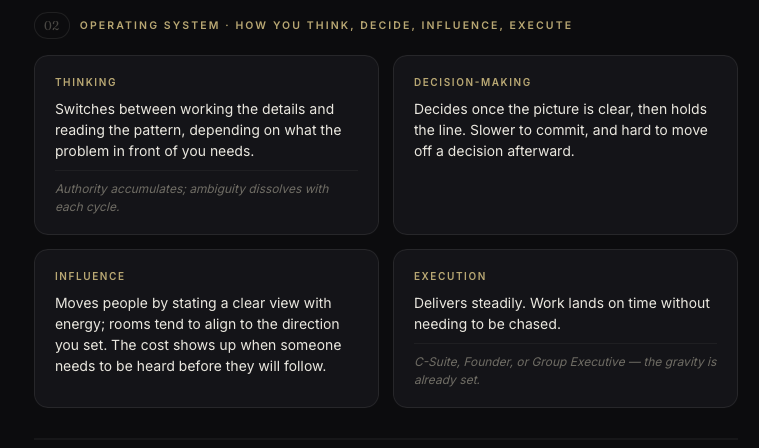
Three parts. One clearer picture.
Together they help explain how you work, where you fit, and what comes next.
Behavioral Assessment
Identifies your natural work style, communication tendencies, decision-making patterns, motivational drivers, strengths, blind spots, and environments where you are most likely to thrive.
Professional Intelligence Workspace
Clarifies aligned roles, career paths, professional identity, value proposition, ideal environments, development priorities, and practical next steps for advancement.
Supporting Intelligence Dossier
Explains the reasoning behind your recommendations, including strengths, trajectory, risks, leadership potential, positioning, and targeted career strategy.
Before you begin.
A quiet place and about 5–10 minutes.
A resume, or enough work history to type in manually.
A phone works, but a computer is easier for uploading files.
Your access code.
Complete the process in order.
Start with the assessment, use it to create your report, then download your permanent PDF.
Request your behavioral assessment.
You will not receive an automatic link. Email Jonathan to request your Behavioral Assessment link. Once you receive it, answer honestly. There are no right answers. When you finish, you’ll receive your assessment report as a PDF — save it.
Understand how you naturally operate.
Create your Destiny Mapping report.
Open Destiny Mapping, choose Professional, enter your access code, then upload two things.
Translate your experience into direction.
Career History
Your résumé, or typed work history if you do not have a résumé.
Behavioral Profile
The assessment PDF from Step 01 — not your résumé.
Uploading the wrong file is the most common issue. Your résumé and your assessment PDF are two different uploads.
After both uploads are ready
Open Destiny Mapping →No resumé?
That’s fine. Use the typed work history option and include the roles, companies, dates, and responsibilities you remember.
Can’t find your assessment report?
Check your downloads folder and email first. If you still cannot find it, email jalexander@coregroupcares.com for help.
Download your PDF.
When your report is ready, click Download Report (PDF).
This is your permanent copy. Your online session is not saved after you close it.
A permanent career intelligence report.
Closed your browser first?
If you closed the page before downloading, email jalexander@coregroupcares.com with your name, organization, and a short description of what happened.
Built on rules, not guesses.
Used only to generate your report.
Provided at no cost through your organization.
Common questions.
Most questions come up while completing the process. Start here if something feels unclear.
What if the report doesn’t feel like me?
The report is based on what you provide. If something feels off, review your inputs and share that context with Jonathan.
Can I share my report?
Yes. The PDF is your copy. You may choose to share it with a coach, case manager, mentor, employer, or someone helping you think through next steps.
Can I retake the assessment?
If you believe you made a mistake or need a new link, email jalexander@coregroupcares.com before retaking it.
How long does this take?
Most participants finish in about 30 minutes: about 10 minutes for the assessment and the rest for creating the report.
What is a behavioral assessment?
It is a short set of questions that helps identify how you naturally work, communicate, decide, and respond to different environments.
Email Jonathan.
Use this for Behavioral Assessment links, access code questions, technical errors, download issues, or lost reports.
What to include
Your name, organization, and a short description of what happened.
jalexander@coregroupcares.com